Hi,
V153.0.1 (latest at this time) is detected but 153.0 is recommended. Update button is present when V153.0.1 is installed and inspection done.
Regards.
G
Offline
Posts
-
Mozilla "Thunderbird" latest version not detected as latest
-
RE: Rclone no more detected
@Tom : It should be a transient issue. Rclone is now back even if still without its icon. By the way, latest version v1.75.0 is not announced where I had v1.74.4 .
Thanks for your help. -
Rclone no more detected
Hi,
Rclone is no more detected.
Please note that before it disappeared, the icon was missing.
Regards.

-
RE: Rclone: missing download link
Hi,
About the download missing link, I know that 'rclone selfudate' do the job. So the link is for coherency with other entries and for the ones updating systems without Vulndetect.
Can we hope to have an "update" button doing the rclone selfudate?
Added missing rclone image.

Regards. -
RE: C:\Program Files (x86)\Microsoft\Copilot\Application\mscopilot.exe not bundled with copilot
Hi,
Or I missed it during the last check or the issue is back.
Regards -
RE: C:\Program Files (x86)\Microsoft\Copilot\Application\mscopilot.exe not bundled with copilot
Hi,
@olli_s : fixed can be moved to solved issues.
Regards. -
C:\Program Files (x86)\Microsoft\Copilot\Application\mscopilot.exe not bundled with copilot
Hi,
This path C:\Program Files (x86)\Microsoft\Copilot\Application\mscopilot.exe is not bundled with other copilot's ones.
Hope this helps.
Regards -
RE: Chocolatey not removed when installing 3.0.x agent
@olli_s : could be moved to fixed as 3.0.x agents do not install chocolatey any more.
-
RE: Rclone: missing download link
Hi
Sorry for the duplicate entry: I missed the new check before publishing.
Regards. -
RE: Rclone: Missing download link + icon
Hi
Sorry for the duplicate entry: I missed the new check before publishing.
Regards. -
RE: [Solved] MS Office 365 16.0.17628.20164 is "Unknown"
@olli_s : the issue reoccurs sometimes when MS releases a new version but is every time quickly fixed. To move to fixed.
-
Rclone: Missing download link + icon
Hi,
The download link is missing for Rclone current x64/amd version is https://downloads.rclone.org/v1.73.3/rclone-v1.73.3-windows-amd64.zip (https://downloads.rclone.org/v<version>/rclone-v<version>-windows-amd64.zip)
or
https://downloads.rclone.org/rclone-current-solaris-amd64.zip

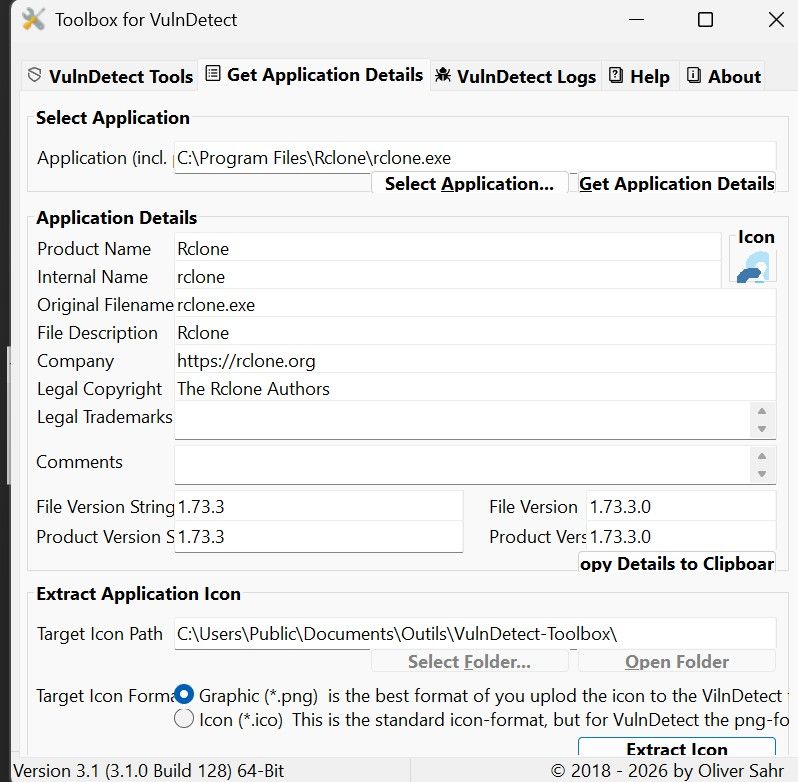
Rclone ico:

Hope this helps
Regards.
Greg -
Rclone: missing download link
Hi,
The link to the versions of official Rclone versions is: "https://downloads.rclone.org/v<version>/https://downloads.rclone.org/rclone-v<version>-windows-amd64.zip" (x64/amd)
ex: "https://downloads.rclone.org/v1.73.3/rclone-v1.73.3-windows-amd64.zip" for x64/amd 1.73.3 version (current at this time)
or "https://downloads.rclone.org/rclone-current-windows-amd64.zip" for the lastest x64/amd version.
Download link is missing an no "update" button.

Hope this helps.
Regards.
Greg. -
"Copilot" path not embedded in Edge
Hi,
This path %ProgramFiles(x86)%\Microsoft\Copilot\Application\146.0.3856.80\msedge.exe is not referenced in Edge.
Hope this helps.
Regards. -
RE: [Solved] Videolan VLC 3.0.23
@OLLI_S -> solved 3.0.23 is now the official version
-
[Solved] Videolan VLC 3.0.23
Hi,
I installed 3.0.22 using Vulndetect and now 3.0.23 is proposed as the recommended version as 3.0.22 is flagged "unsecure" but the official release is still 3.0.21 on the official VLC download site.
That's not the first time that this issue arise having Vulndetect poposing unofficial versions even if available somewhere by VLC.
Hope this helps.
Regards. -
RE: [Solved] https://vulndetect.com/#/ -> Invalid username or password.
@OLLI_S : Thanks. Yes was really yesterday night.
Can you please move this issue to "fixed".
Regards. -
RE: [Solved] https://vulndetect.com/#/ -> Invalid username or password.
Additionally, I was able to log on to https://vulndetect.org/ .