Battle-net - Custom Software removal
-
Because the Battle.net uninstall string does not support silent parameters, we created a PowerShell script that removes the application completely, including any leftover files and registry entries.
1. Save the removal script as a .ps1 file, for example
remove-battlenet.ps1$processNames = @("Agent", "Battle.net") $pathsToRemove = @( "$env:LocalAppData\Battle.net", "$env:LocalAppData\Blizzard Entertainment", "$env:AppData\Battle.net", "$env:ProgramData\Battle.net", "${env:ProgramFiles(x86)}\Battle.net", "$env:ALLUSERSPROFILE\Microsoft\Windows\Start Menu\Programs\Battle.net*", "$env:PUBLIC\Desktop\Battle.net.lnk" ) $registryPaths = @( "HKLM:\SOFTWARE\Wow6432Node\Microsoft\Windows\CurrentVersion\Uninstall\Battle.net" ) function Test-BattleNetPresent { foreach ($proc in $processNames) { if (Get-Process -Name $proc -ErrorAction SilentlyContinue) { return $true } } foreach ($path in $pathsToRemove) { if (Test-Path $path) { return $true } } foreach ($regPath in $registryPaths) { if (Test-Path $regPath) { return $true } } return $false } function Remove-PathIfExists { param ( [string]$Path ) if (Test-Path $Path) { Remove-Item $Path -Recurse -Force -ErrorAction SilentlyContinue Write-Host "Removed: $Path" } else { Write-Host "Not found: $Path" } } function Remove-RegistryIfExists { param ( [string]$RegistryPath ) if (Test-Path $RegistryPath) { Remove-Item $RegistryPath -Recurse -Force -ErrorAction SilentlyContinue Write-Host "Removed registry key: $RegistryPath" } else { Write-Host "Registry key not found: $RegistryPath" } } if (-not (Test-BattleNetPresent)) { Write-Host "Battle.net is not installed or no related files were found. Nothing to do." exit 0 } Write-Host "Battle.net detected. Starting cleanup..." foreach ($proc in $processNames) { $running = Get-Process -Name $proc -ErrorAction SilentlyContinue if ($running) { Stop-Process -Name $proc -Force -ErrorAction SilentlyContinue Write-Host "Stopped process: $proc" } else { Write-Host "Process not running: $proc" } } foreach ($path in $pathsToRemove) { Remove-PathIfExists -Path $path } foreach ($regPath in $registryPaths) { Remove-RegistryIfExists -RegistryPath $regPath } Write-Host "Cleanup complete." exit 0This PowerShell script:
- stops Battle.net-related processes if they are running
- checks whether Battle.net or related leftovers exist
- removes known Battle.net folders
- removes Start Menu and Desktop shortcuts
- removes the uninstall registry key
- exits cleanly if nothing is found
2. Create a tag for Battle.net hosts
For easier targeting, you can create a dedicated tag for hosts with Battle.net installed
https://corporate.vulndetect.com/#/tags
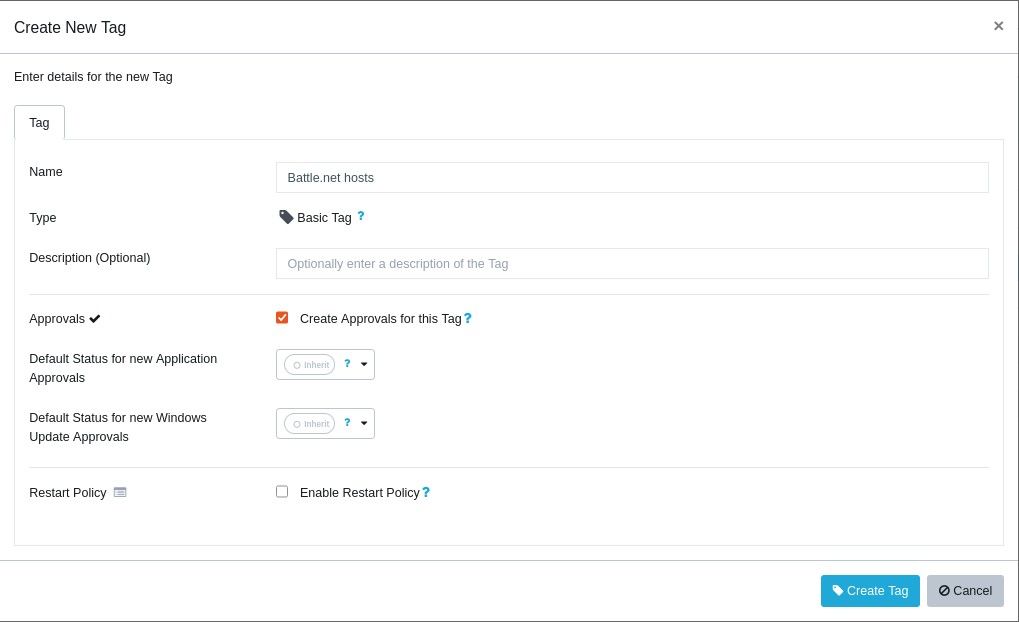
3. Filter hosts from the Applications page
From the Applications page, filter the hosts with Battle.net installed and assign the tag to them.
https://corporate.vulndetect.com/#/applications4. Create the Custom Software deployment
Create the custom configuration and upload the removal script as a
.ps1file
https://corporate.vulndetect.com/#/deployment/custom-create-job
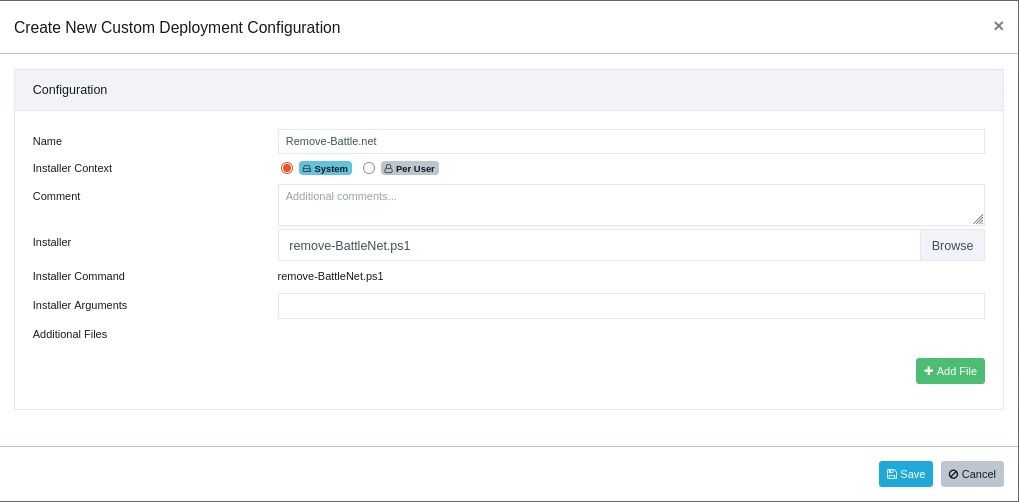
5. Deploy the Custom Deployment Job to the target tag
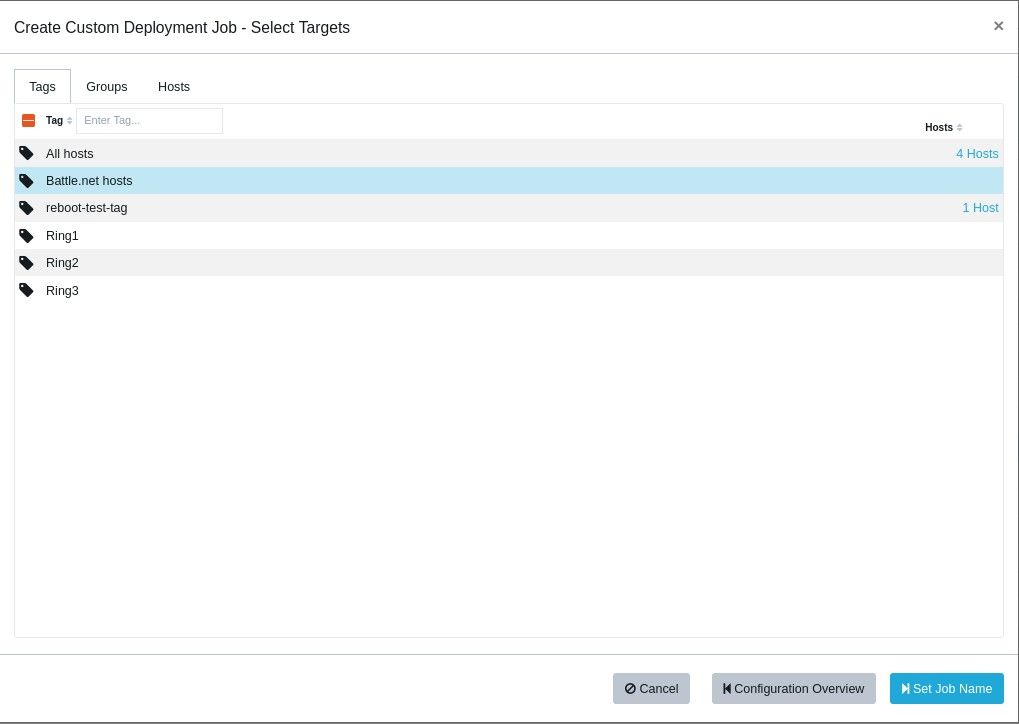
Run a manual inspection after deployment if you want the results to appear immediately. -
T Tom moved this topic from [Custom Software guide drafts] on

Hello! It looks like you're interested in this conversation, but you don't have an account yet.
Getting fed up of having to scroll through the same posts each visit? When you register for an account, you'll always come back to exactly where you were before, and choose to be notified of new replies (either via email, or push notification). You'll also be able to save bookmarks and upvote posts to show your appreciation to other community members.
With your input, this post could be even better 💗
Register Login