QGIS - Upgrade
-
When deploying the latest installer, QGIS does not replace the previous version. Instead, it installs alongside the existing version, resulting in a side-by-side installation.
In order to accommodate this caveat, we have the following workaround:
1. Create a tag for all hosts with QGIS installed
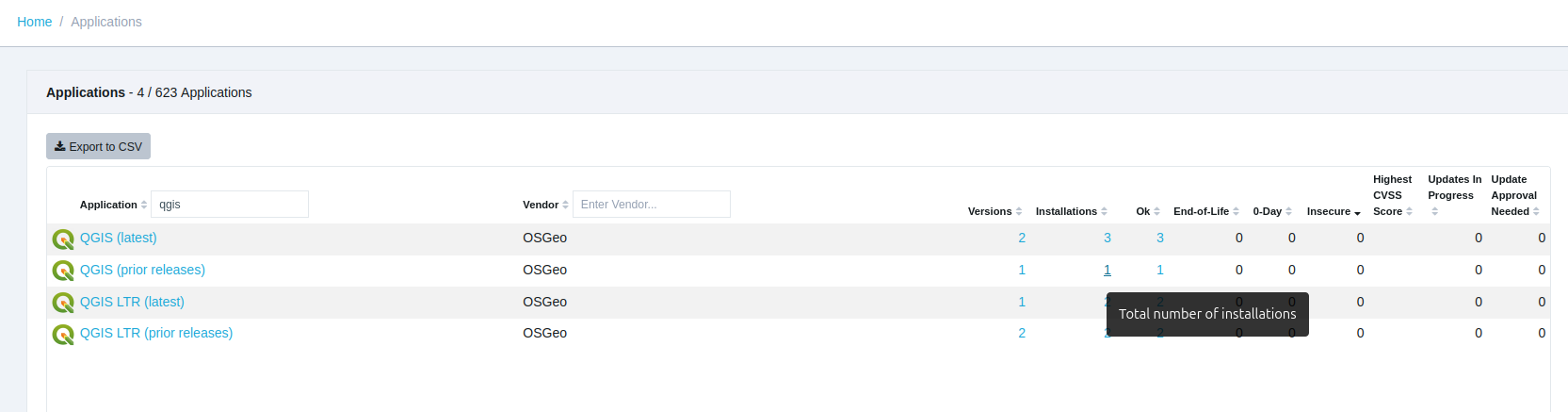
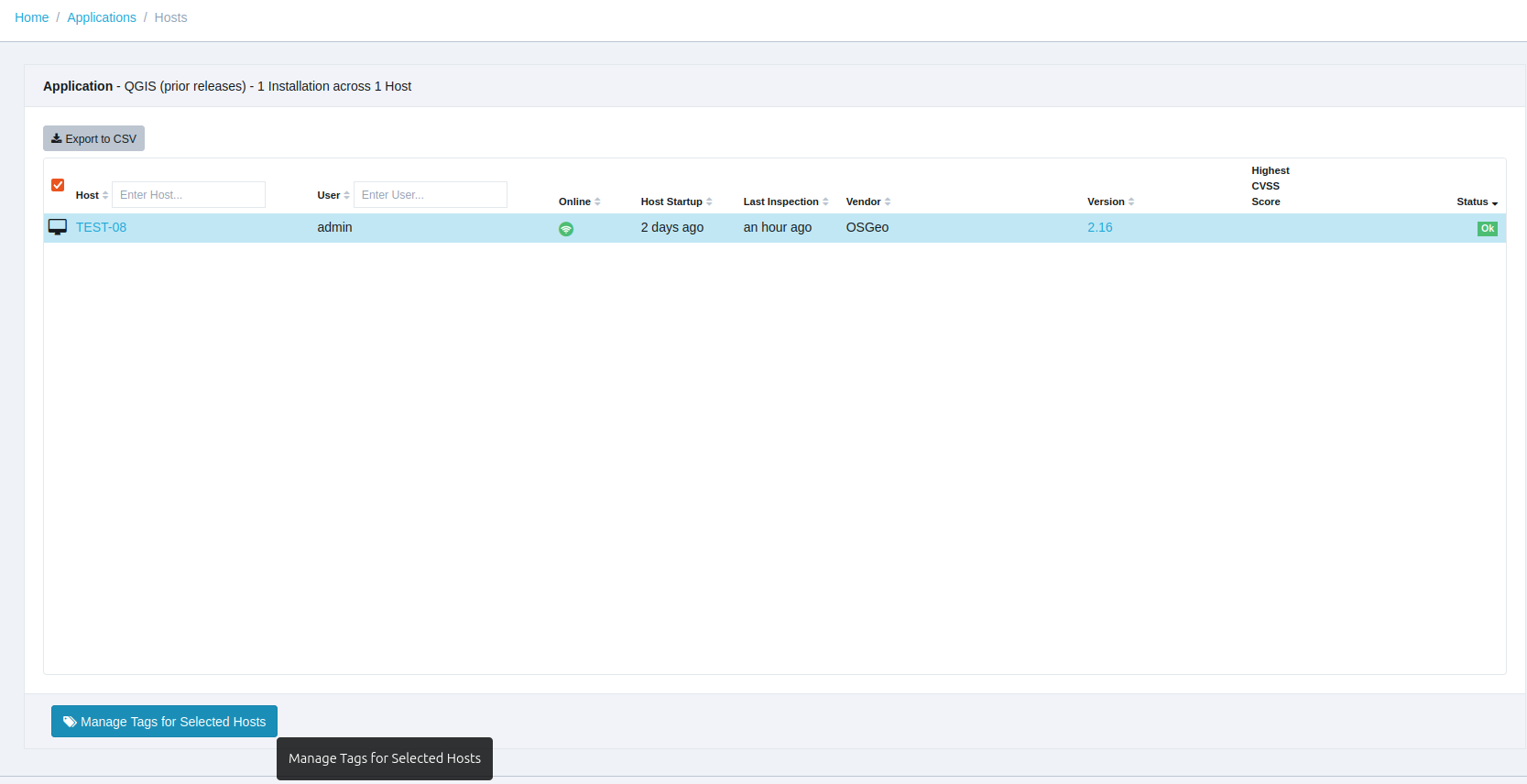
From the Applications page, click on the result under the Installations column to view hosts with QGIS (prior releases) installed and use the
Manage Tags for Selected Hostsbutton to create the new tag.
2. Uninstall Prior Versions
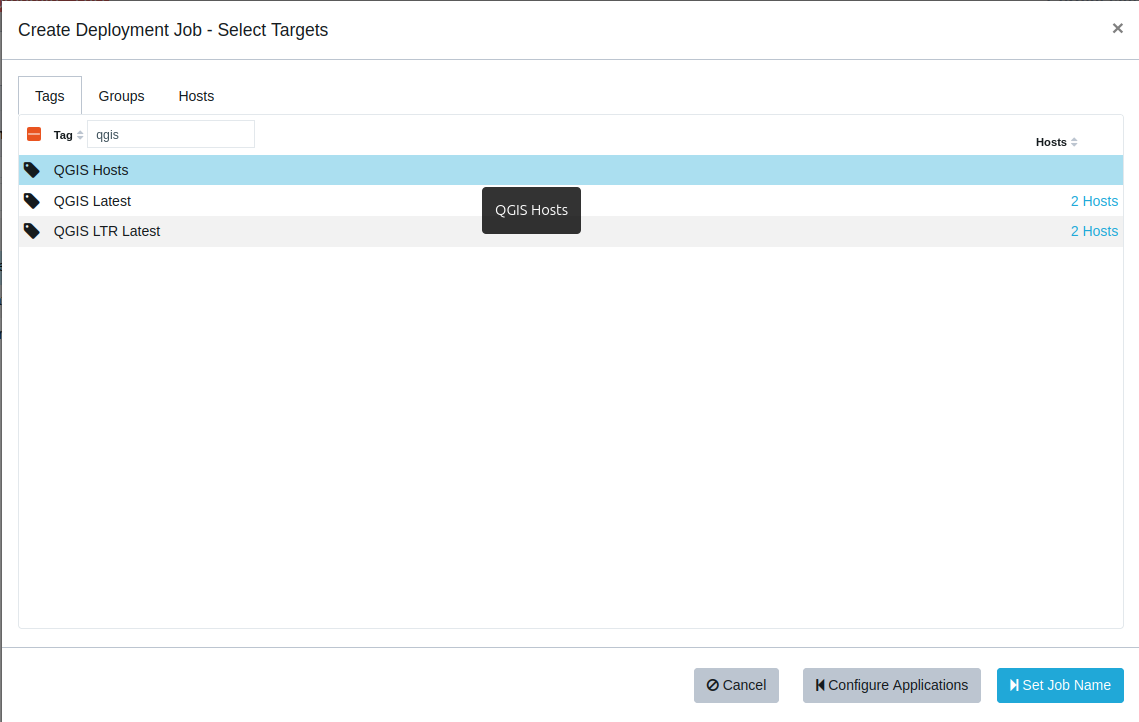
Using the Software Deployment feature, apply the QGIS (prior releases) uninstall and QGIS (latest) deployment jobs to the tagged hosts.
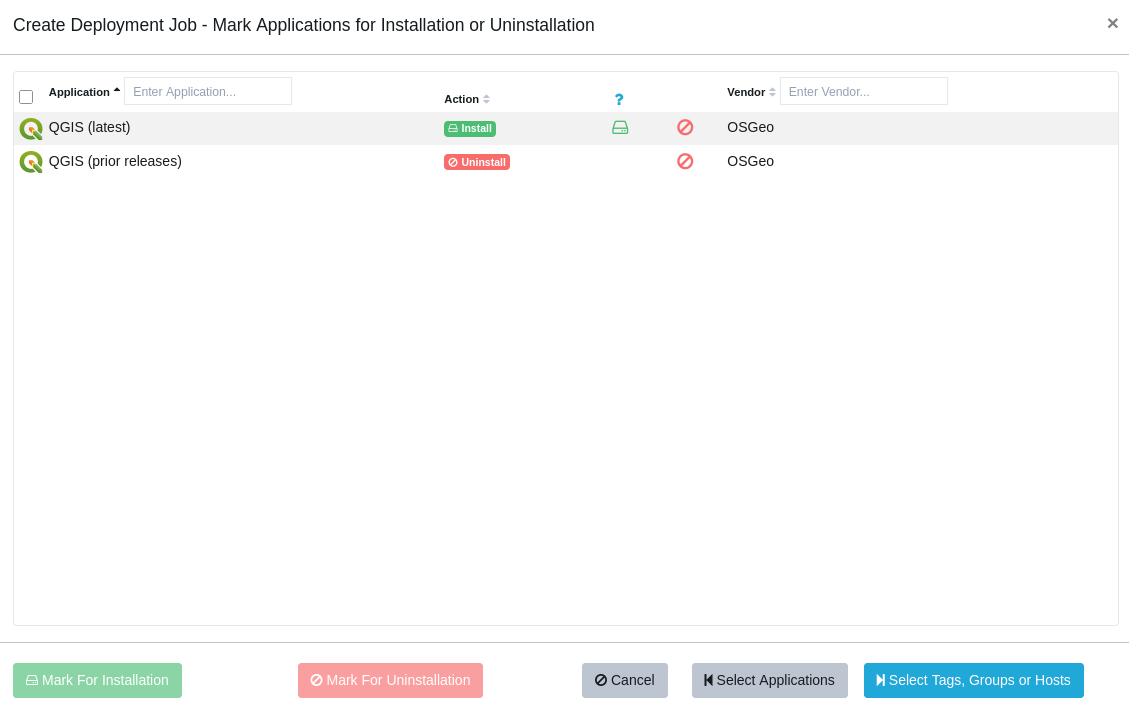
Additional inspections might be required for the job to fully complete.
Note:
Alternatively, using two separate jobs (one for uninstall and one for installation) is also possible, though keep in mind that the uninstall job would then run only once and need reactivation if required again. Therefore, we suggest using a combined job to remove and deploy QGIS versions simultaneously, as this is the smart, automated approach.
-
T Tom moved this topic from [Custom Software guide drafts] on

Hello! It looks like you're interested in this conversation, but you don't have an account yet.
Getting fed up of having to scroll through the same posts each visit? When you register for an account, you'll always come back to exactly where you were before, and choose to be notified of new replies (either via email, or push notification). You'll also be able to save bookmarks and upvote posts to show your appreciation to other community members.
With your input, this post could be even better 💗
Register Login